Ask Lex. Understand your money.
Ask Lex is the assistant inside the Lex app. Ask a question about personal finance, have your Lex portfolio explained in plain language, or work through a calculation with your own numbers. It explains and illustrates. The decisions stay yours.1
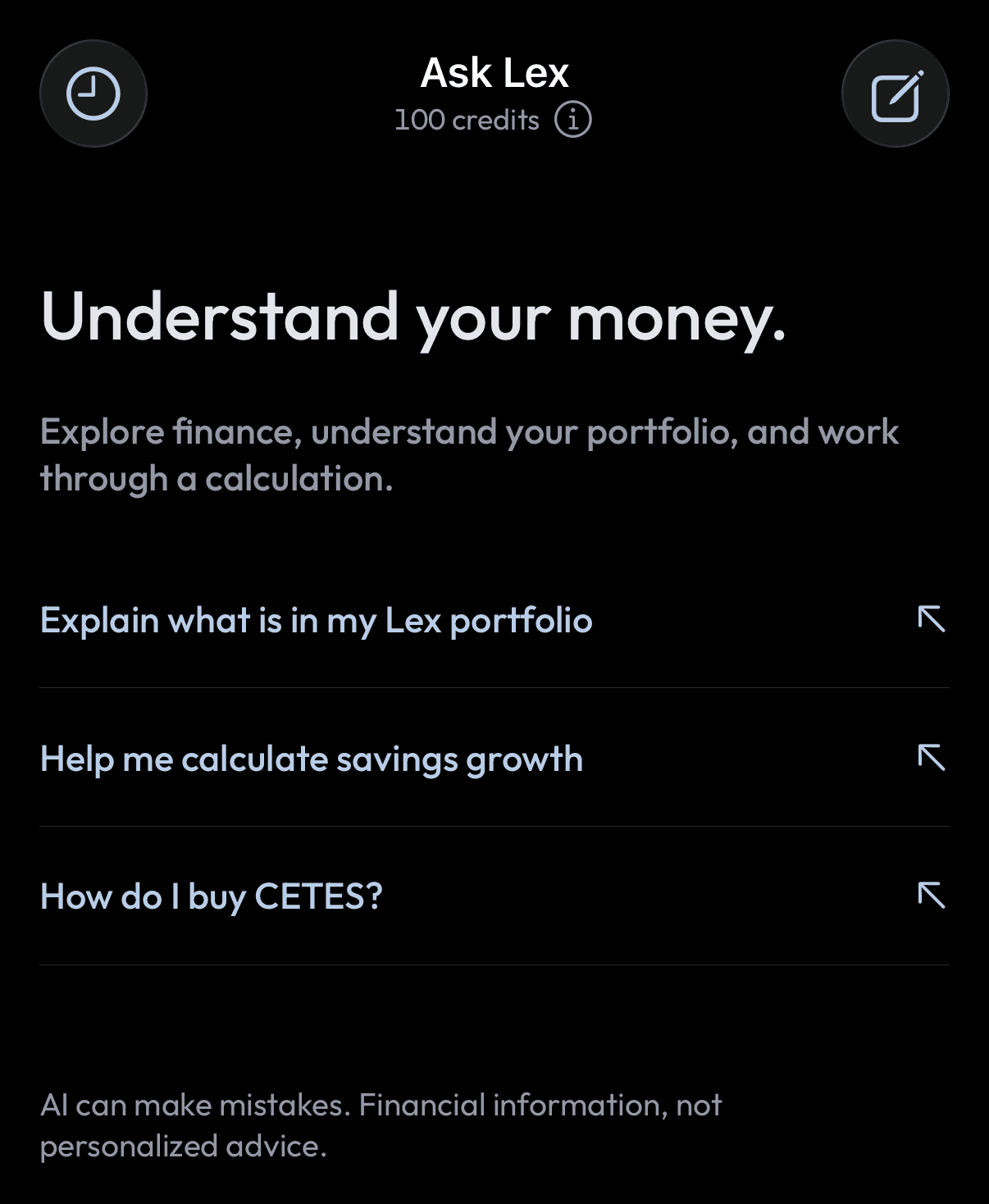
Three things you can ask for.
Type a question the way you would ask a person. Ask Lex answers in English, Spanish or Portuguese.
An explanation.
Saving, budgeting, interest, debt, inflation, diversification, bonds, stocks, funds, currencies, crypto, fees and retirement. Ask what a term means, how something works, or what to consider before a decision. Tax questions get a general explanation and a pointer to the official source for your country.
Your Lex portfolio, explained.
What you hold, how it is split between assets, what you added and what it earned, your recent activity, and how each holding has moved over time. The figures come from your Lex account at the moment you ask, and each answer shows the time they were read.
A calculation with your numbers.
Describe a scenario and Ask Lex builds a calculator card for it. You supply the assumptions; it never invents a return, an inflation rate or an exchange rate for you.
Six calculators you can adjust.
Each card has sliders for its inputs. Move one and the result updates at once, on your device. Growth cards include a chart you can drag across to read the balance in any year. Results are illustrations of the numbers you entered, not forecasts.2
Compound growth
A starting amount and a monthly contribution over a number of years, at a rate you choose, with an annual fee and inflation. Shows the ending amount, its value in today’s money, what you contributed and what the fee cost.
Savings goal
What it takes to reach a target amount by a date, given what you start with, a rate, fees and inflation.
Saving for a purchase
A target amount, what you have saved so far and how many months you have. Shows how much to set aside each month and what is left to save.
How long savings last
A balance and a monthly spend. Shows how many months it covers and the spending per year.
Inflation
What an amount from one date is worth at another, from the price-index values for the two dates.
Currency scenario
Holding money in your local currency or in US dollars over a period, from the starting and ending exchange rates and the interest rate on each side.
Current figures, with their sources.
Some answers depend on today’s numbers. Ask Lex looks them up instead of relying on memory, and tells you when it cannot find adequate evidence.
Public information, looked up.
For current rates, rules and product conditions, Ask Lex searches public sources and lists them under the answer so you can read them yourself.
Exchange rates, told apart.
The rate a token trades at on-chain, the market reference rate, the official rate and the retail rate are different numbers. Ask Lex says which one it is quoting.
Your figures, time-stamped.
Anything taken from your Lex account is marked “Lex data as of” with the time it was read. A value that is missing is shown as missing, not as zero.
How things work in Lex, and outside it.
Ask how to do something and Ask Lex gives the steps. When you ask for it, it can open the screen in the app where that happens.
Using Lex.
Adding funds, which assets are supported, how vaults work, and where each of these lives in the app.
Self-custody and security.
Who holds the money in Lex, what a passkey does, what happens if you lose your phone, recovery options, exporting your private key, and how to recognise a scam.
Products beyond Lex.
For example, how buying CETES directly from the Mexican government differs from holding a CETES token, or how Bitcoin purchases work. Ask Lex says so plainly when something is not available in Lex.
What Ask Lex will not do.
These limits are deliberate. Lex is not an investment adviser, and an assistant that picked investments for you would be acting like one.
It does not tell you what to buy.
No buy, sell or hold recommendations. It will not choose an investment, an amount, a provider or an allocation, rate whether your portfolio suits you, set a price target or predict a return. Ask what to do and it explains the mechanics and the considerations.
It cannot move your money.
Ask Lex can read and explain. It has no way to sign, send, trade or deposit. Every transaction still needs your own approval with your passkey, in the usual screens.
It does not give tax or legal conclusions.
It explains general rules and points to official sources. It will not decide your tax residence or what you owe.
It never asks for your secrets.
Ask Lex will not ask for a password, passkey, recovery phrase, private key, bank login or identity document. Do not type them in.
Every answer is checked before you see it.
A second review compares each answer with these rules and with the evidence behind it. An answer that does not pass is replaced with a general explanation.
It can still be wrong.
AI can make mistakes. Check anything important against the sources listed with the answer, and against the figures in your account.
Your conversations.
Ask follow-up questions in the same conversation and Ask Lex keeps the thread.
Saved to your account.
Conversations are kept in Lex, so you can pick one up on another phone after signing in. Start a new one at any time.
Yours to delete or export.
Delete a conversation from the Conversations list. Your account data export includes your chats, and deleting your account erases them.
Copy and rate.
Copy an answer to keep it, and mark it helpful or not helpful so we can improve the answers.
What Ask Lex sees, and where it goes.
Ask Lex is built on an AI model from Anthropic. To answer you, Lex sends Anthropic your question, the relevant part of the conversation, and the account facts that question needs.
Only what the question needs.
Account facts are read when a question calls for them. Your wallet address, identity details, sign-in credentials and the people you send money to are left out.
Web research is kept general.
Public lookups are built from general topics, countries and public asset names. Your messages and your portfolio are not sent to search providers.
The details are in the Privacy Policy.
It describes how AI-provider processing and retention work, and the choices you have.
Where to find it.
Ask is a tab in the Lex app for iOS and Android. It is included with your Lex account at no charge, with 100 credits each month. Each answer uses some of them, and they renew on the first of the month. Update to the latest version of the app if you do not see the tab.
Questions about Ask Lex
What is Ask Lex?
Ask Lex is an assistant inside the Lex app. It explains personal finance, explains what is in your Lex portfolio, and works through calculations with numbers you supply. It is educational and does not give personalized financial, tax or legal advice.
Is Ask Lex financial advice?
No. Lex is not an investment adviser. Ask Lex does not recommend buying, selling or holding anything, does not choose investments or amounts, and does not predict returns. It explains how things work so you can decide for yourself.
Can Ask Lex move my money or place a trade?
No. Ask Lex can only read and explain. It cannot sign, send, trade or deposit. Transactions are made in the usual screens and need your approval with your passkey.
What does Ask Lex know about my account?
When a question needs it, Ask Lex reads your Lex holdings, allocation, activity and historical values. It does not receive your wallet address, identity details, credentials or recipients. It knows nothing about money you hold outside Lex unless you tell it.
Which AI does Ask Lex use, and what is shared?
Ask Lex is built on an AI model from Anthropic. Lex sends Anthropic your question, the relevant conversation history and the account facts needed for the answer. Public web research uses general topics, countries and public asset names only. See the Privacy Policy for processing and retention.
Which languages does Ask Lex speak?
English, Spanish and Portuguese, including the calculator labels.
What calculations can it do?
Compound growth with fees and inflation, a savings goal, saving for a purchase, how long savings last, inflation between two dates, and a local-currency versus US-dollar scenario. You provide every assumption and can adjust it with sliders afterwards.
Where do the numbers in an answer come from?
Figures about your account come from Lex at the moment you ask and are marked with that time. Current public figures are looked up and their sources are listed under the answer. Calculator results come from the numbers you entered.
Does Ask Lex cost anything?
No. It is included with your Lex account, with 100 credits each month. Each answer uses some of them, and they renew on the first of the month.
Can I delete my conversations?
Yes. Delete any conversation from the Conversations list in the Ask tab. Deleting your Lex account erases your Ask Lex data.
Can Ask Lex be wrong?
Yes. AI can make mistakes. Check important figures against the listed sources and your account before you act on them.
Start at your own pace.
Keep what you’ll need soon within reach, invest what you won’t need for years, and add to it over time.
iOS
Open the link on your iPhone. Install Apple’s TestFlight app if prompted, then accept the Lex beta invitation and tap Install.
Get the iOS betaAndroid
Download Lex free from Google Play.

Scan to get Lex on your phone
Android on Google Play. iOS beta on TestFlight. Get help installingGoogle Play and the Google Play logo are trademarks of Google LLC.